3 Ways to Use AI for Finance & Asset Management
AI IN FINANCE
How Can Asset Managers Use AI for Due Diligence, ESG News and NAV Reconciliation?
In short: A due diligence review that once meant months of reading hundreds of data-room pages becomes a Claude project with instructions co-written with analysts.
Key takeaways
- A due diligence review that once meant months of reading hundreds of data-room pages becomes a Claude project with instructions co-written with analysts.
- A scheduled project browses 24 hours of ESG news each morning at 9:00 and delivers an email draft with cited sources before the daily meeting.
- Claude's Excel add-in found a NAV error caused by a SUM covering B11 to B12 instead of B11 to B15 — a classic mistake when rows are added.
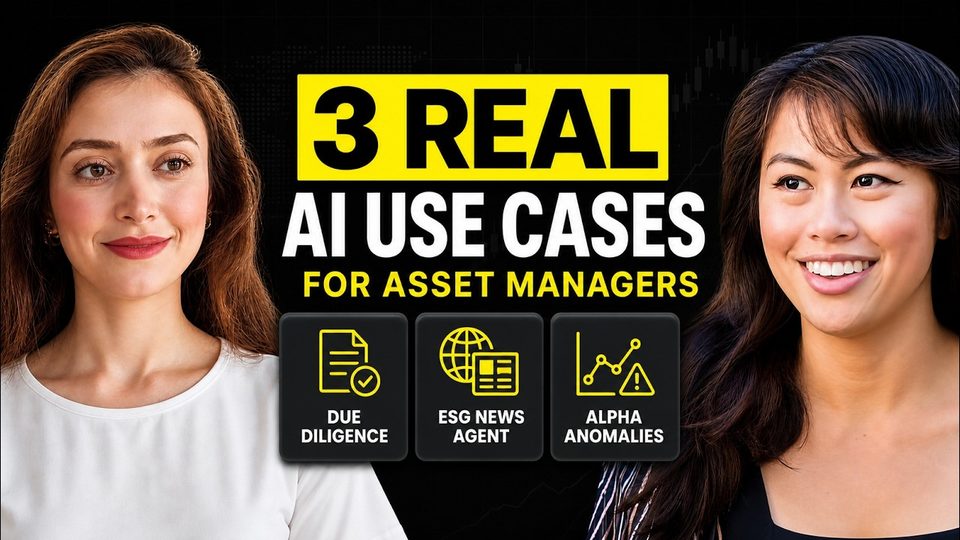
Ani Björkström, a freelance consultant in Stockholm educated in both finance and technology, builds data and AI solutions for asset managers. She recently demonstrated three real client use cases: a due diligence analyst assistant, a sustainability news summarizer, and error detection in the Excel sheets behind daily NAV calculations. None require a developer: the end users are analytical but non-technical.
How does AI speed up fund due diligence?
Due diligence is how an investment company verifies that an investment object — a fund or a company — is what it claims to be. Traditionally an analyst reads hundreds of data-room pages hunting risks and red flags, which can take months.
In the demo, Björkström downloaded the public documents of Handelsbanken Energy, a Swedish fund, and created a Claude project referencing that folder. The critical part is the instructions, never written alone: she sits with analysts and follows a fixed structure — who Claude is, what is needed, how to do it, and rules such as "use only the documents I gave you." The team iterates for a week or two until analysts are satisfied, then asks Claude to create a skill from the conversation so the method can be reused on another fund or company. She is explicit that this is not an AI agent — it is interactive question-and-answer, not a workflow acting on its own.
How do you build a scheduled ESG news summarizer?
European asset managers must provide sustainability reporting toward investors, so ESG specialists read the news daily and often present the last 24 hours at a morning meeting. The client wanted that news summarized and sent as an email draft readable on the commute.
This project starts from scratch: Claude gathers everything by browsing. Two settings matter. Permissions: choose "ask before acting," so nothing unplanned happens. Effort levels, introduced with Opus 4.8: high suffices for summarizing news; max suits heavier analytical work if tokens are no concern. With the Gmail connector activated, Claude browsed the sources, produced a draft citing valid references, and scheduled the brief for 9:00 every morning. One caveat: it is a desktop app, so the computer must be on for the schedule to run — hence the "keep awake" option in projects. A scheduled workflow runs on its own, so this case comes closest to a true AI agent.
Can Claude find errors in NAV spreadsheets?
Yes — and this targets a highly stressful recurring back-office problem. NAV, the net asset value per share of a fund, is calculated daily from holdings, cash and liabilities, then reconciled against the fund manager's figure under hard deadlines. Discrepancies are common, and with a hundred holdings, finding the source manually takes time nobody has.
Using the Claude add-in for Excel — requiring at least the 20-dollar Pro plan — Björkström asked why a synthetic but realistic fund sheet would not reconcile. It identified a sum covering B11 to B12 instead of B11 to B15: rows added without extending the formula, an extremely common failure. Her rule is to verify the diagnosis before letting Claude apply the fix, because in a regulated industry a person, not the tool, is accountable. The add-in also helps newcomers by explaining unfamiliar, badly named spreadsheets in progressively simpler terms.
| Use case | Before AI | With Claude |
|---|---|---|
| Due diligence | Months reading hundreds of data-room pages | Project over the document folder, instructions refined with analysts |
| ESG news brief | Early-morning prep before the meeting | Scheduled 9:00 browse-and-summarize with an emailed, sourced draft |
| NAV reconciliation | Manual hunt through formulas under deadline pressure | Excel add-in locates the broken formula and proposes the fix |
What about data protection in regulated finance?
Never use a personal Claude account for this work. Pro and Enterprise plans include a data processing agreement: breaches must be reported, deletion can be requested, and data is not used for training — though with Anthropic directly, data still resides in the US. If it must stay in Europe, Claude's models are reachable via Google Vertex or Amazon Bedrock, but only as an API, so a developer is needed. In practice, banks on the Microsoft stack often default to Copilot, while competitive venture capital and private equity firms sign team or enterprise contracts with Anthropic.
FAQ
Is the due diligence assistant an AI agent?
No. An agent needs a workflow of tasks acting on its own; this setup is interactive questioning. The scheduled daily news brief comes closest to a genuine agent.
Will the scheduled brief run if the computer is off?
No. If the machine was off, Claude offers to run the brief on next open, but the intended 24-hour window is lost. The "keep awake" option prevents this.
Who should write the project instructions?
Not the consultant alone. They come from sitting with domain experts, and Claude itself can improve a draft prompt or even interview the team.
Full transcript of the video (7,617 words, 53 sections)
0:00 Super excited today to be speaking with Annie. She's an AI consultant based in Europe that works with banks and private equity and today she's going to walk through insane use cases for finance and asset managers. She's going to show you live builds, guys. This is a very practical and very hands-on if you are in the finance space. So, super excited for this session. Would love to hear a little bit about your background, Annie. Yes, I'm a freelance consultant based in Stockholm. As you mentioned, I work with asset management companies. I actually have background or education both in finance that I took from University of Westminster in London and I also studied tech. So, it's a combination between tech and finance and then I end up in this sphere where I work with asset managers and concentrating on data and AI development.
0:46 That's amazing. You know, most YouTube tutorials out there are really catered towards developers, marketers, or startups. There's really not much education out there on how to properly leverage AI, especially in a highly sensitive environment like finance or in an enterprise environment like banking. And of course, the importance of the data layer in all of those conversations. So, super excited to dive in. What are we going to talk about first? Yes, so we are actually going to talk about three user cases and those user cases are real user cases that I got from my clients and I created for my clients. The first one is we are going to create a due diligence analyst and do not worry about the wording. I will explain what exactly due diligence means. Next, we will create an end-to-end sustainability news summarizer AI agent.
1:38 And last but not least, I will show you how to use cloud in Excel for now calculations or for any different discrepancies that can come up in Excel sheets and I will also explain why is Excel very relevant in this industry. Okay, awesome. So, you're excited to dive in. So, the first one will be the due diligence analyst, the second one will be environmental social news curator, and the third one will be looking for the discrepancies in that data, anomaly detection. So, this is the process when every single investment company research the investment object. It can be a fund, or it can be, for example, a company before investing in the company. And the whole aim of doing this is trying to understand if the company is what it says to be.
2:23 So, we will use information provided by the funds. It can be key KPI information, for example, or general information about the funds, and we will compare it with their annual reports that actually shows what they have been doing during the previous years in comparison to what they say that they are doing. And also, because the customers for those solutions are due diligence analyst, and an analyst is a very analytical person, but but is not a technical person. So, that is why when we are creating solutions for those type of customers, we need to think to create solutions in the tools that are easy to use. So, I normally go with Cloud Co-work that is quite easy to understand and to work with on daily life in comparison to Cloud Co-work that is more popular for developers.
3:18 So, right now, I will share my screen, and I will open the document. And it would be also good to cover like what does the before look like? Like before AI, like this like how many hours did this take? How painful was it? Just a few sentences on that, and then we'll we'll dive in. Yes, that's a very good question. So, so normally, when a due diligence analyst work with due diligence, they will just collect a lot of documentations, and they will save all those documents in a folder that is called data room. And there can be several hundreds of pages that an analyst has to read and try to understand if there are risk or red flags. So, this process can take months, for example.
4:03 And that that is why right now when we have very powerful AI tools, it's very important and effective to bring in, for example, Cloud Co-work to make just the process a lot easier. Now, we are going to do an actual work. So, I will show you how the whole process will look like. So, let's say that we are taking an example fund that is Handelsbanken Energy. This is a Swedish fund and let's say we are considering to invest in this fund. And normally, if you open to their websites, you can see a lot of information about the fund and this information is public. So, I'm not sharing any sensitive information. Anyone can go to this URL and can download all of those documents. And as an analyst, I will download all of those documents.
4:49 I will save them either locally on my computer or a Google Drive. And then after that, I will start to read all the documents. So, beforehand, I have already downloaded all the documents that I need and I saved them locally on my computer. So, now when I go back to Cloud Co-work and I try to create a project in here. So, I will use use an existing folder and the idea here is that I will reference the folder where I have all the needed documents. So, I already know that it's on my desktop. And then I have Handelsbanken, which is the name of the fund. And then I will just click on open. Now, in the next section, we have instructions.
5:34 And this is the most important part. And to be very honest, I never write instruction directly on my own. I will always talk to analyst or people with domain knowledge to understand what exactly they want Cloud to do. Because if you do not specify instructions good enough, then Cloud cannot do a good job. This is basically something that Cloud is sending to their large language models in every conversation context. So, that is why it's very important to be very explicit when writing instructions. And here I have already prepared some instructions that we can use in here. I will share the document with instructions. This is basically the document, and when I work with instructions, I'm following this structure.
6:24 I'm answering to question who you are, and here I mean who Cloud is. Next, what I need, what I need Cloud to do. Next, how to do it. And in the end, I also include some type of rules and constraints. And you can see that I'm saying, for example, "Use only those documents that I gave you in the projects." That's awesome. I really like how cleanly this is laid out. And for anyone going through this the first time, highly encourage you to read through all of the instructions here and get a better understanding of how Annie has laid everything out, so that you can tweak it as necessary for your use case. And I will, of course, share all of those instructions if you want to use that as well. So, here I will just copy these, and I will go back to Cloud Cohort, and I will paste all of this in here, and then I will click on create button.
7:15 So, here we can see on the right section that we have all the instructions. Nothing is scheduled. And then we also have that we are referencing a catalog on our computer that is called Handelsbanken. This is the name of the font, and then I have all the documents that I downloaded from their website. And before I go ahead and start to ask questions, I want to also mention that when I work with enterprise client, especially in regulated environments like in finance, I always recommend them to not use a personal cloud account, instead to use pro account and enterprise account. And you might ask why. The reason is when you have enterprise or pro account, a DPA is included in the subscription.
8:00 And DPA stands for data processing agreement, which means that you have more control on your data. So, for example, if there is data breach, Cloud is obligated to report it. Or if you want to delete some information, then you can ask Cloud to delete this information. And if you are not on those plans, you can alternatively go into risks. So, I never recommend to use those because I never recommend to use personal plan and without checking the IT department. For your own security, you don't want to share some sensitive information. So, now when it is clear, let's go again back to my documentation and copy paste the first question. So, those are Normally, I will ask my clients, "What are the main questions that you will be asking to as an analyst, what are the main questions that you will ask?" And here I have several questions.
8:58 Normally, it can be more than this, but right now I will just use one of those just to demo how this process looks. So, I will just copy paste it in here. And then I will let Cloud to reply. And the whole cycle looks like this, that once I created this project, then I will sit with analyst maybe a week or 2 weeks, and I will hear them to say what they think about the answer, because some cases they can say, "These parts aren't good enough. It can be more clear about those parts." And if that happens, then we open the instructions and we update the instructions. So, this is a loop that we do every time. And we will sit and do this work until they are glad with the answers.
9:47 That's the whole process, just to loop through the process. That's awesome. So, here you're using Claude as actually as your research partner. You're saying we are doing research on this particular fund. Let's find out everything we can about it. These are the bullet points that I'm specifically looking to understand. And if something is unclear, you can tell Claude to try to find that information, right? Or update the Claude instruction itself, so that gives an answer that is a bit closer to what you're looking for. Exactly. Exactly. And if something is very important, then I will just explicitly say, "Please remember this information." And Claude will save it in memory and the or markup file. So, this is another thing that we do. And also, after we iterate through, we send a lot of questions.
10:33 Maybe we sit with the solution a couple of weeks. As soon as we feel like we are satisfied with the solution, then I will ask Claude to create a skill based on our conversation. And you might ask, "Okay, what is then the meaning of creating a skill?" So, skill will save the method that we are using in here. Because right now, it was specifically for Handelsbanken, which is the name of the font company. But let's say we want to use this for another small SaaS company, or we want to use for another font. Then we can reuse the skill. So, this is a very powerful thing that I will normally recommend my clients to do. Yes, I love skills because it's a way of taking this back and forth process that you've invested in with Claude and kind of generalizing it.
11:19 So, now we can take the same process but apply it to a different fund we're researching, or apply it to a different startup that we're researching. Exactly. So, this was basically everything that I wanted to say about the first demo and I also want to be very very specific that this wasn't an AI agent because the definition of AI agent is that we need to have a workflow with several tasks and workflow needs to act on its own. And in here we are interactively asking questions. So this is not an example of AI agent. But in our next demo, we will come as as close as we can to an AI agent because we will create a task that will be scheduled and will run on its own. I love that.
12:04 So this is we're getting our feet wet here, guys. This is just use case number one using Cloud Co-work as your research partner. And yeah, really excited to see number two and build our very first AI agent. So for number two, I will first explain what we are trying to achieve. So every single asset management company in Europe needs to be SFTR compliant. And this basically means that they need to have some type of ESG reporting towards their investors. And ESG stands for environmental, social, and governmental factors that are influencing the investment business. And in order to do this, they will normally have either consultants or employees that are working with ESG every single day.
12:49 And in order to be ahead of this, those specialists need to read all the news about ESG. And normally when you come into asset management companies, you can have those morning meetings where someone have already read all the news and is presenting the news for the last 24 hours. So that is why this is one of the cases that my client asked me about if it is possible to get all the news for the last 24 hours, to summarize those, and then to send an email draft. So on their way to work, they can read the draft and they can be ready for the meeting without well, because the alternative is to wake up very early in the morning and do all this prep work before the meeting.
13:37 So, in order to do this, I will again use projects. I will go to projects. I will create a new project. And in here, we will click on start from scratch because I don't have any documents that I want to use. I don't want to import a project. This cloud will get all the news by browsing. So, we will click just start from scratch, and from here, we will go back to my document and we'll get the information about this user case. So, the here, this is the You can name it as you like. It's not definitely a base It's up to you to name as you like. It doesn't make any difference. So, we go back to cloud co-work. I just will copy this name, so it is descriptive enough.
14:22 Then we come back again to my documents. And here again, I have exactly same structure. I am trying to answer to questions who you are, what I need, what to do, and then the rules. And again, in this case, I'm always sitting with people that have the domain knowledge. I never pretend to be an ESG specialist. Instead, I sit with them. I understand what it is that they want to get in their daily summary. I think that's such an important point. Like actually collaborating with domain experts is how you maximize leverage from AI tools. Because so many people seeing news about AI agents, it's going to automate everything and do everything magically. Um it's it's actually a lot of work to build an AI agent system that produces robust, reliable data on a consistent basis.
15:13 And your best shot at building something like this is to collaborate with a domain expert who can say, "This is what we're looking for, these are red flags, it seems to be hallucinating over here, maybe we need to tweak the prompt or this context or the instruction or the sources of data it's looking at. Like it's very much a collaborative process to build it and then at least in my experience it's a continuous process to keep maintaining it and ensure that it's high quality and reliable. Also, you will get requests from your user group of like, "Hey, can we add this? Can we emphasize these in the reports?" And so it's also an evolving thing, not just something that you set up once and then it disappears forever. In the best case, the best deployments I've seen there's domain experts in the build and also domain experts involved in continuously improving and monitoring it.
16:05 Yes, totally. That's actually what is happening. I totally agree with you. This is nothing that is static. It will be dynamically updated in the future as well. And in this step I will just copy this prompt or instruction that I have already created. And again, just one thing, when I sit with the clients, they will normally come up maybe with couple of sentences and then they can say, "I have nothing to add. I don't know what else to include." And I of course I want to get as detailed information as possible. And in that case we are still using Cloud, so I can take for example their prompt that is just several sentences and then I can go back to Cloud and I can ask Cloud what else we can add in this prompt or help me to make this prompt better for this goal.
16:52 And Cloud can even come in and be very useful there as well. We can even ask Cloud to ask questions to us, to interview us, to make this prompt better. So even there of course Cloud can be used. And then I go back to Cloud Cohort one more time. And here I will copy paste this. Great. And then I will click on memory button. And here one more thing that I normally would recommend my clients is that we have those two options ask before acting and act without asking. I will normally let them to use ask before acting because we don't want to have any surprises or we don't want to have any news that something happened that wasn't planned. So, we will always be more cautious when it comes to permissions.
17:41 And also when it comes to effort because this is we all know that Optus 4.8 was introduced last week and we got access to effort levels in here. So, we are have basically those low, medium, high, extra marks levels and I think high is good enough, but if we are doing more analytical work, then I can recommend marks as long as tokens are not concerned because that's the best effort if you are going to do more analytics work. And in this case when we will read news and summarize, maybe high is good enough, but for the first demo, I think we could totally use marks. And now when we are Okay, this is also another thing that some of my clients they just love to talk instead of typing and this can be of course more useful for demo one instead of this demo two because this one we are going to schedule.
18:31 But yeah, it's good to mention that as well. And now I will go back to my document. I know already that we are we will ask Cloud to create a daily brief, but I will still go back to my documents. So, this is basically yes, to generate today's brief because in the instructions I asked Cloud, I gave a very specific instructions what it needs to look into and how it needs to think. And also another thing that is very important that I have my email in here, which is a Gmail and I also need to tell that I have already activated my connection via connector to Gmail because I'm expecting because I'm expecting Cloud to send me an email and of course if you do not allow Cloud to send you an email then it can never send this email.
19:22 So another thing to be cautious about that you need to go to connectors and activate your Gmail connector which I have already done in here. So let's go back and ask Cloud now to generate daily brief. And this now basically what is happening is that Cloud is using the browser and browsing all the news that we asked for and we can see in here it is working in parallel. There are several execution environments but you can see in here. And one question that I normally get from my clients is that can Cloud get information that is alternatively private that we need to alternatively paid for. And as as long as I understand Cloud is not getting this type of information that we shouldn't have access to.
20:12 However, what can happen at some cases is that someone maybe read the information and has access to information and they created an article about it or they commented for example in Reddit or in other Twitter. So in that case Cloud can get that information but on my experience I don't think Cloud is trying to hack different websites and getting private information. I mean I think I would like to hear what you think Sapna about this. Yeah. I mean there are definitely work arounds. So you could use Cloud in Chrome to access websites where you are authenticated. If it's a paywalled thing Cloud in Chrome can access it because it's essentially controlling your browser as if you were the one using it. Um so but I mean obviously check with your IT department whether you want Cloud to be able to access those things.
21:03 But that would be one work around if you use Claude and Chrome. If you're not using Claude and Chrome, then yeah, it's not going to be able to access these things that are behind a paywall. Mhm. Yes, that was also my understanding. So, here you can see that it is trying to get all the latest news. And also, it was important to say that I mentioned that it needs to get the news for the last 24 hours. And during the weekend when I was preparing this demo, Claude was very quick. And the reason was because there was Saturday, the day before, and there wasn't a lot of news. Yes. It's really cool to see all of the news it's analyzing right now though in real time. Exactly. Exactly. And that's another thing that I love about Claude that we can go back and see how it is thinking, which websites is it opening, and then based on our instructions, which websites are valid for this summary.
22:02 Mhm. And great. So, here you can see that it says, "Want me to tighten this to only the confirmed regulatory items." And then it also asks if email to this If you want it It also ask if you want it to email to this address. And I will say yes, "Please email." I like option C as well. Set it to run automatically each morning. Yes, and that's something that we will also do. Yes, please send an email. And yes. So, and the again, also another thing that is important to know is this is Claude Co-work. It's a desktop application, which means that it is running on my desktop. So, in order for this to be scheduled and run every morning at 9:00 a.m.
22:51 as we asked it to do, our computer needs to be on. If we don't want to keep our computer on, what is happening that next time when we open our computer and come to Cloud Co-work, Cloud will ask us if we want it to run the brief. However, we will lose these 24 hours that we wanted it to run our summary for. So, there is an option in projects where we can choose to keep our computer on. So, that's the option that we can use if we want it to send us actually the summary every morning. Yeah, and this is a really powerful framework because it's essentially Cloud working while you're sleeping. Like while you have downtime, it's not dependent on you to remember to do this every morning, type the prompt, wait 5 minutes, etc.
23:43 Like you can just have it open while you're drinking coffee or you're commuting and it's ready to go. Um and so the more you can shift tasks to dispatch or scheduled mode where you can do it proactively while you're not working, the more leverage you get, the more time savings you get cuz then you review the work, you can give Cloud feedback as well when you review it, then it updates itself, updates the skill, and it's just this awesome feedback loop that's continuously improving and you are refining the quality of the outputs you're getting every day. Exactly. Exactly. And uh now we can see that it is asking us if we want to schedule or not. And the reason it is asking us was because we choose that for every single action, please ask us and do not act without asking. So, that's the reason why Cloud is now asking us if it's okay to schedule or not.
24:31 And as you also mentioned, now we are maybe talking about AI agent because this will be running then every single day without us needing to open our computer in the morning before we rush to work and saying, "Please do this daily brief and send me information about it." So, here basically it reported that an Gmail was sent. It is a draft actually that was sent to my email account. We will go and check if it is correct or not. Then it also states that this one was scheduled and in order to check that as well, we can go to scheduled and we can see that now hey, New Year's Eve and I think this is the one that we just created. We have the daily briefing here and the other one is the one that I tested before this demo to make sure that it works.
25:21 So okay, it it was scheduled and now let's open my Gmail drafts and we can see that we have a draft that was sent that was sent almost half past nine. So basically right now. So this is also the amazing thing is that we asked also to reference the sources. So I love that that we can go back and read the sources as well and we can see that those are actually valid sources. I really love the use case of summarizing key information as well because it adds up in time savings. Again, people see all this marketing like oh, AI is just going to do automate all of this and I won't have anything to do left but realistically in practical scenarios, it's more about compressing the things you are doing repetitively, compressing it from maybe 60 minutes to 5 minutes.
26:11 And when you do that for let's say five different tasks in a week, suddenly you have a lot more time and bandwidth like literal mental bandwidth and energy to focus on higher leverage strategic tasks. Um that this is how I see businesses actually adopting AI successfully rather than like trying to automate an entire function, right? It's more about what are all these things that are taking up a bunch of time here and there, compress it from whatever 1 hour 30 minutes to 2 minutes or 5 minutes. Do that again and again for five more tasks that are taking up the team's time and then going going from there, building from there. Exactly. That's a very strong point. Just like having the time is the most appreciated the time is something that is evaluated most in life.
26:56 So it's amazing to even if you can just get back one hour a day. I think it's something amazing and we should appreciate that we are living in this AI innovation times. And if I go now back to my cloud co-workers. This was basically the the second demo that I wanted to show. I don't have anything to add in this demo. We still will use exactly the same feedback loop that we will read the news. We will understand if this is good enough or we need to update some features or we'll go back and we'll update the instructions. And one last thing that I want to show in this demo is that here is the option if we want to keep our computer awake. So we'll just click on keep awake and computer will be awake which means that we will get actually all of those new summaries every morning.
27:49 Okay. Awesome. So that wraps up use case number two, our news curator. And then are we going to dive into number three? Exactly. And we go directly to number three. So here we will look into an Excel and before we start with this, I want to explain that I have never been to any asset management company where Excel wasn't used. Naively, I thought that the Excel era was already closed in [laughter] the beginning of 2000. But it is just not the case. Excel is very widely [clears throat] used in asset management industry and maybe even in other industries, but just in this industry I know that it's very widely used. I know that Python is very used as well. However, Excel is up there and all the business users that do some type of functions or run numerical exercises, they will use Excel.
28:41 And an actual example is for example in a fund, you will calculate NAV, that stands for net asset value for the fund. So, how much each share in the fund is valuated. This is something that you will normally do every single day, and in most of the cases, there is one or several people that sit in back office and doing this exercise. And I created now a synthetic document that has synthetic value. So, this is not an actual fund, it is everything is synthetic. And however, the whole situation is that the scenario is exactly how it is in real life. You will have one fund, and in the fund, you will have the name of the companies that fund invested at.
29:27 And those are the real names of the companies. And then we have the shares, which means how many shares of those companies did we buy. And then we have the price. It can be daily price if those are publicly listed companies, or it can be an evaluated price if it's not publicly listed. And then we have market value, which is the multiplication, and then we have weight. So, this is the top that is called holdings, and next to that, we have cash liabilities, where we are summarizing basically total other assets, and also total liabilities. So, assets are all the resources that we have, and liabilities are things that are our debts. And in order to calculate NAV, we are using the top first top and the second top, and we are doing some calculations in here, and those numbers are coming from top one and top two.
30:16 One very common situation that is happening is that sometimes when the person in the back office is calculating NAV for the day, and when they are checking or reconciling this number with fund manager, it is not the same number. And why why is that? Yeah, is that normal? It is not normal, but believe me or not, this is very common, because you do this every single day and if you do it every single day, the probability is quite high that the same error will happen again and again and again. And also because we are humans that we can do some mistakes in our Excel sheets. And again as I said that this is something that we report normally every single day and it is very critical. It needs to be reported by for example 1:00 or 2:00.
31:03 It can be different in different organizations. So when this happens, when we understand that it is not reconciling and we always do the reconciliation every single day. This is like a process normally that is done in back office. And when this number is not the same, if there is an issue, then people in back office, they need to go into their holdings that was on top one and then took their cash liabilities and then understand what is wrong. And there is a lot of stress involved because it is very critical. You do not have a lot of time. And also do not be fooled. You will not have just 10 companies. You will have 100 companies. [laughter] I really like this use case even though we're we're specifically talking about like NAV discrepancies very specific to finance.
31:55 I like the broader framework here of using AI for anomaly detection for pieces of data that are highly highly sensitive and need to be highly accurate and also reported on a daily basis. Like this is a really cool way to use AI as a as a check or as a way to find the source of the discrepancies faster. Exactly. Exactly. And even if you work for example in performance department or risk calculation departments, you normally have those in very heavy Excel sheets with a lot of information. And if you have a lot of information and if you activate Cloud in this Excel sheet, Cloud will remember both information but also the formulas. So that is the strong thing about Cloud because as a human, you as good as you can be, you can never remember all the numbers and all the formulas.
32:44 So, it's just better to accept that Cloud is better than you when it comes to those type of tasks. And yes, so the recommendation in here will be to go to start and then you can see those this Cloud add-on. And normally when I show this to my clients, they will ask if it is possible to have Cloud even if you're running your Excel sheet locally on your computer. And of course, that is possible. The Cloud extension for Excel is something that you should download. And then after that, it will just sit in there. And of course, you need to log in because you don't have access to this add-on if you are on free plan. So, you at least need to have the pro plan that is $20 in order to access this feature. And once you click on the Cloud, first you will need to log in and then this chat will open up.
33:33 You can see this one here. And then you will basically ask Cloud to fix this to fix this discrepancy. And here, of course, I have my worksheet that I created before and tested. So, I will go to my worksheet and I will use this command. I'll just copy this. And come back to our Excel sheet. Yeah, so I'm basically saying that there is an issue when reconciling the null and please try to find what is the problem. And here as well, we basically have all the models. We don't have this F force at this point, but we can still use Optus 4.8.
34:23 And when we click on enter, it starts to think. And another thing is that when it comes to Cloud and using cloud in regulatory environment, there is a lot of security concerns. A lot of people will be very worried what happens with their data, will cloud use their data for their trainings, will cloud share the data with other users, and even in Europe, we normally want to save our data in Europe. We don't want it to go to US. So, for those cases, again, normally my answer will be the best option to have a pro or enterprise contract. Mhm. It doesn't guarantee that your data is not in Europe. It still will not be in Europe. If you have directly contact with Anthropic, it will be in US.
35:11 However, you have the agreement, you have control on your data, and cloud is at least promising to not to not share your data or to not use it for any training. Mhm. And in the worst-case situation, if you really really need to have your data in Europe, then there is two other tools that you can use to access cloud cloud's large language models. I think one of them is Google Vertex and Amazon Bedrock. But in those platforms, you cannot access cloud co-work. You just have access to to API. So, you need to then take in a developer who will create the rest of rest of it that you have access to in cloud co-work. And out of curiosity, with all the banks and financial institutions you're working with so far, what is the AI tool of choice in 2026?
36:01 Is everybody moving to cloud already, or are they is it all scattered with tools they're using? Yeah, so this is actually very different based to whom I talk to. I saw a lot of clients that they were using Microsoft stock, and Microsoft stock is very common inside banks. And because they are already using Microsoft stock, then they just go ahead and activate co-pilot because that's the natural language. I just made a YouTube video I think yesterday that was like three ways to make money. Number one, train people on how to use Microsoft Copilot. Literally has millions and millions [clears throat] and millions of users and they don't even know how to use it in like the tools they use in Excel and PowerPoint and Word doc and so that makes total sense. Exactly and I have for example one client where we created an AI agent and we had this issue.
36:53 It wasn't okay to host the AI agent outside of Stockholm. So what we did, we choose Microsoft platform and right now Microsoft is hosting ChatGPT's models, not Claude's but ChatGPT's. So that was what we had to do to have this agent. But also there are a lot of companies mainly for example venture capital or private equity where it is very competitive and so they compete with each other. If there is a lot of competition then they put a lot of attention to which tool they are using and they will normally have those team or enterprise contracts with Anthropic. And here you can see that this is then the answer from Claude. It is saying that in cash liability tab when we do summer summary where summary summer we are summarizing B11 to B12 and let's go and check this.
37:47 So this is another thing. I always say to my clients, try to check if this is correct or not before asking Claude to fix it. Let's go to this tab and here it says that cash liability Okay, so basically it's saying that this one is calculated by summarizing B1 B11 and B12. Let's see if that's the correct Okay, and that was actually correct. So it is not summarizing all the rows and when I was doing my research, Claude was saying that just this function to summarize rows or to forget summarize rows when you add new rows low new rows when when you add neurons is extremely common. This is something that is just coming up all the time.
38:35 I've probably done that. [laughter] Yes, and it's a stupid thing. Of course, you can be tired and whatever it is, but it's difficult to detect and you can spend a lot of time and as we already discussed, time is most valuable asset that we have. So, why not to let Cloud to fix this? And basically, yes, Cloud says that this is the issue and it's asking me, "Won't me to apply this fix?" Then I will just say, "Yes." I mean, you can fix it on your own as well. It is very easy to change just B12 with B15, but I will let Cloud to fix and here I will also choose allow once. I like your point though to make sure you're understanding what it's saying, what the diagnosis is, and what the fix is. It's similar to coding where you could let AI just try to code everything, but very quickly you don't understand what's happening in the code base anymore, which makes it harder to debug issues in the future and add new things in the future.
39:30 And so, just just remember to stay involved in this process, really understanding like what was the issue, how can we better avoid it in the future, is there a way to make this formula more robust so that this type of error happens less frequently in the future, etc. Definitely, I've been there as well. Exactly the same thing that you are saying that we are just we can just ask Cloud to fix it without understanding that. And I was in a conference where we talking that before we had this technical debt that we have different features that need to be fixed, but we don't fix it even though we know about it. And now what we are doing, we are just creating a lot of code without understanding it. And this was basically what we are discussing. So, again, I think I totally agree. It's very important to be involved to understand what is going because as you are saying if you do not understand how it works or the concept, then it will it's almost impossible to add features.
40:27 Mhm. And at the end of the day like someone is accountable for this. You know, you can't just say, "Oh, it's it was Cloud. He he messed up." Right? [laughter] Like that's not an acceptable answer especially in a highly regulated um highly sensitive industry. Exactly. Exactly. Yes, and now Cloud says that it fixed it and let's go and check if it was fixed. And now when I click on this button, we can see that it was corrected. So now it is the sum of B11 and B15. So all the rows between B11 and B15 are included in the sum. So now we are happy with this solution. And the last user case that is connected to this demo that I want to show is that sometimes when you are new into the company, you will get access to those Excel sheets.
41:15 You will just open them and there is a lot of data, a lot of formulas. You don't understand what is going on. It is not always the best naming. Right now we have good naming because Cloud created it for me. But we normally in real life situations we'll have really bad naming. So you can use Cloud as well and ask, "Please explain how for example information on tab alpha is calculated or how this number if from where is coming this number? Why we have this number in here?" And if you feel like the answer is too technical or too business-related, one thing that I love to do is like just saying, "Please explain it in easier terms." And then if I don't understand it still, I would say, "Make it easier and easier." You can even say, "Make it understandable for ninth grade student." And that's when you know that you will understand.
42:09 So yeah, so that's another user case that I will use Cloud to explain and an existing information or formulas to me. I love that. Yeah, I mean, this is a very nicely structured clean spreadsheet. I was remember when I was going through the M&A process for my first company and we had like all these spreadsheets and projections and like business models and it was like gargantuan spreadsheets where I mean, if you're looking at that for the first time, you definitely don't want to touch anything. No. [laughter] you don't know like all the different [snorts] consequences it'll have. So I yeah, I love that use case. One of my favorite shortcuts is Eli 10, like explain it to me like I'm 10. So I'll do that all the time. If I feel like Cloud is Cloud is like kind of glazing or like just throwing too much at me.
42:54 I'm like, okay, let's let's slow down. Just explain it to me like I'm 10 years old so I can follow along. Yeah, amazing. So this was actually the last demo that I wanted to share with you and if you have more questions, I'm happy to answer it. But other than that, this was basically what I prepared for today. This was amazing, mind-blowing. I learned a lot and honestly, there's not much information out there about how to use Cloud AI in an enterprise setting with lots of money involved. We're talking about finance, private equity, asset management. So thank you so much for coming on and sharing this. It was so well structured and I truly learned a lot as well.
Want this working inside your finance team?

Ani Björkström — founder of QvantX Sweden AB, a Stockholm consultancy building AI solutions for banks, asset managers and finance teams. Anthropic partner. Every article starts from a real client build, minus the confidential parts. LinkedIn →
Keep reading — AI in Finance
 AI's Circular Financing, Explained — Scam or Not?
 I Tested Claude for Excel: It Fixed My Broken P&L Model
 3 Claude Agents Every Finance Analyst Should Steal (Full Prompts Included)
More: all 54 articles · Claude vs ChatGPT for finance · best AI tools for finance teams · work with QvantX