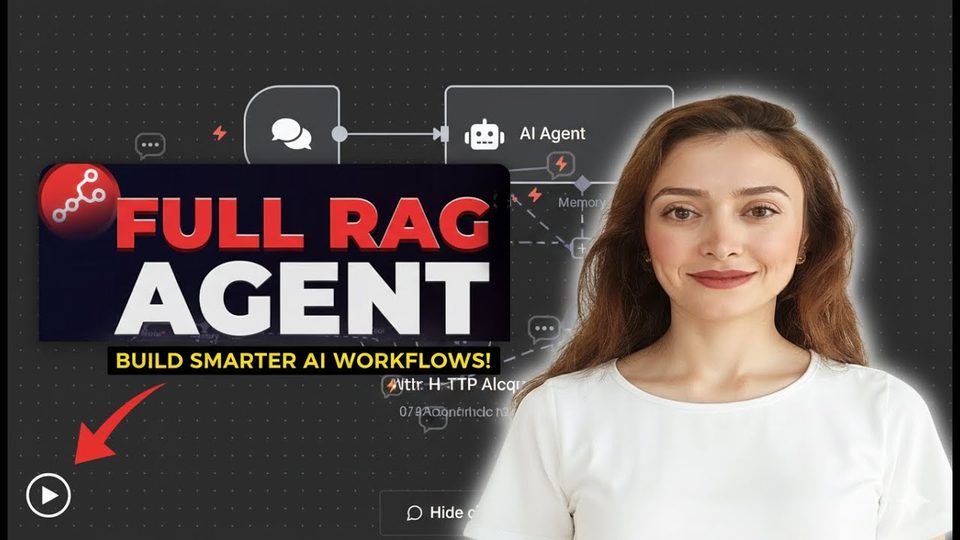
Watch the video with chapters & transcript →
AUTOMATION
How Do You Build a RAG Workflow in n8n with Pinecone?
In short: A RAG workflow answers only from documents you provide and says so when the answer is not there, unlike a plain LLM that risks hallucinating.
Key takeaways
- A RAG workflow answers only from documents you provide and says so when the answer is not there, unlike a plain LLM that risks hallucinating.
- Pinecone's free starter tier includes an Assistant: upload your documents, copy the connection code, and paste it into an n8n HTTP Request tool via import.
- Setting include_highlights to true plus a strict system message makes the agent cite the exact document and page behind each answer.
Retrieval-augmented generation, or RAG, is a practical way to make an AI agent trustworthy. In this walkthrough by Stockholm-based tech consultant Ani Björkström, you build an n8n workflow connecting an AI agent to a Pinecone assistant loaded with Snowflake documentation, then verify its answers against the source file.
What is RAG and how is it different from a normal LLM?
RAG gives the model a defined set of documents to retrieve information from, and it will say it does not have an answer if the answer is not in those documents. A plain LLM such as ChatGPT answers from whatever it was trained on, so it will always produce an answer, with a real risk of getting it wrong. That failure mode is called hallucination, and constraining the agent to your own documents is the direct countermeasure.
Why use a vector database like Pinecone?
A vector database stores words and word combinations as points in a multi-dimensional space, so terms with similar meanings sit close together: search for "jacket" and it can also return "coat". Pinecone is the choice here because it is not only a database but also offers an agent-connected assistant, and its starter tier is free. You log in, create an assistant in the Assistant section, and upload the files you want to query, in this case a Snowflake document.
How do you connect Pinecone to the n8n agent?
Pinecone shows a connection code snippet under its Connect button; switch the language from Python to shell and copy everything except the API key. In n8n, create a workflow with an AI agent node, pick your LLM (Anthropic in this build), then add an HTTP Request tool and use its import function to paste the code, which populates the fields automatically. Two adjustments matter: map the tool's content field to the chat input by dragging it in, and set include_highlights to true for citations. Finally, give the agent a system message telling it to be very specific and to state which document and page each answer comes from.
| Workflow step | What it does |
|---|---|
| AI agent node | Receives the chat input and orchestrates the response using your chosen LLM |
| Pinecone assistant | Stores uploaded documents and retrieves relevant passages |
| HTTP Request tool | Connects the agent to Pinecone via the imported code and API key |
| System message | Forces the agent to cite the source document and exact page |
How do you check the workflow is not hallucinating?
Ask a test question, such as "tell me about Snowflake share," then copy a phrase from the answer and search for it in the source document with Ctrl+F. In the tutorial, the response cited the exact page, and the checked text was found directly in the Snowflake documentation, confirming the agent retrieved rather than invented its answer.
FAQ
Does Pinecone cost money for this setup?
No. Pinecone has a free starter tier, and the assistant used in this workflow was created on it. Review Pinecone's documentation if you need more specific configuration later.
Which LLM do I need to use in the n8n agent?
Any LLM you like. The tutorial uses Anthropic with saved credentials; the retrieval work is handled by the Pinecone assistant.
How do I get citations to show up?
Set include_highlights to true in the HTTP request and instruct the agent in its system message to mention the document and page for every answer.
Read the full video transcript, with chapters, on the video page →
Want this working inside your finance team?

Ani Björkström — founder of QvantX Sweden AB, a Stockholm consultancy building AI solutions for banks, asset managers and finance teams. Anthropic partner. Every article starts from a real client build, minus the confidential parts. LinkedIn →
Keep reading — Automation
 I Built a Full n8n Workflow in Minutes Using Claude AI (FREE TOOLS)
 Claude Code Skills Just Changed How I Make CVs
 How to build a FREE Lead Generation Machine with n8n + Google Maps + Gmail (Free Template) - 2025
 Google Gemini 3 Pro Wrote My Entire n8n Workflow - 2026
More: all 65 articles · US vs. China: AI FIGHT · Robot Maids in Every Home Soon? · Is the AI takeover coming? The alignment problem explained. · OpenAI Claims It Solved Navier-Stokes. 25 Fields Medalists Say Stop. · work with QvantX