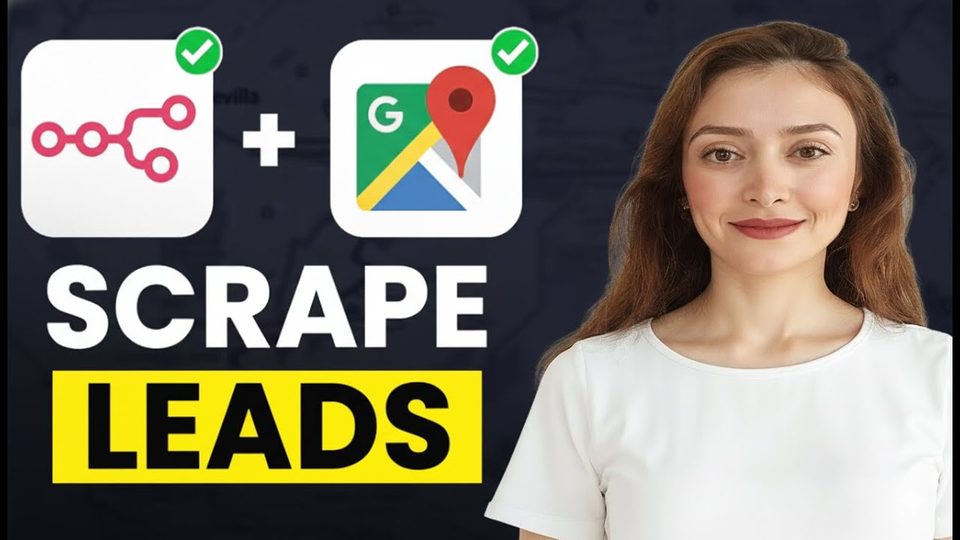
Watch the video with chapters & transcript →
AUTOMATION
How Do You Build a Free Lead Generation Machine with n8n and Google Maps?
In short: An n8n workflow can take a single search phrase such as "gyms in Stockholm", pull matching businesses from the Google Maps APIs, scrape their websites for email addresses, and end with ready-to-review Gmail drafts.
Key takeaways
- An n8n workflow can take a single search phrase such as "gyms in Stockholm", pull matching businesses from the Google Maps APIs, scrape their websites for email addresses, and end with ready-to-review Gmail drafts.
- Google Cloud gives every account 200 dollars of monthly API usage at no cost; setting a budget with a zero-dollar limit stops the APIs before any invoice can appear.
- Two filters keep the list clean: one removes businesses with no website, and another removes results marked "no email found" or the placeholder "user@domain.com".
The workflow demonstrated in this tutorial turns a keyword and an outreach context, for example a partnership to sell protein bars to gyms in Stockholm, into a folder of personalised email drafts. It chains the Google Maps Text Search API, the Place Details API, website scraping, an LLM, and Gmail inside one n8n canvas. The end result is a Gmail drafts folder you read through, adjust if needed, sign with your name, and send.
How does the workflow find businesses and their emails?
It starts with an HTTP POST request to the Google Maps Text Search endpoint at maps.googleapis.com, authenticated with an API key sent as a query parameter under the name "key". The API key is created in console.cloud.google.com under APIs and Services, then Credentials, and both Places API and Places API New must be enabled in the API library.
A short JavaScript code node then filters the raw response down to name, address, place ID, rating, user ratings total, and types. A second request to the Place API, using the place ID and a fields parameter, returns the website and phone number. After merging the two responses, a filter keeps only businesses whose website field is not empty, the websites are scraped, and another code node extracts email addresses from the scraped data.
| Stage | Node | What it does |
|---|---|---|
| Search | HTTP request (Text Search) | Finds businesses matching the form keyword |
| Enrich | HTTP request (Place API) | Adds website and phone via place ID |
| Clean | Filters and code nodes | Drops entries without websites or valid emails |
| Write | LLM call (Claude API) | Drafts the outreach email |
| Deliver | Gmail node | Creates drafts in the Gmail account |
How does the LLM write the outreach emails?
An HTTP request posts the business data to the Claude API, though any LLM works. The headers carry the x-api-key value, a content type of application/json, and an anthropic-version of 2023-06-01; in the demonstration this produced drafted emails for ten results, and a final code node combines business name, email address, phone, website, rating, email subject, and email body.
Can you send the emails automatically?
The workflow deliberately stops at drafts rather than sending. The Gmail node is set to the draft resource with the create operation, mapping subject, body, and recipient from the previous step, so every email lands in the drafts folder where you review it, change the name, and press send yourself. Ani Björkström walks through each node in the video and offers the complete workflow to viewers who comment "N8N".
FAQ
Does the Google Maps part of this workflow cost money?
Google Cloud includes 200 dollars of usage per month at no charge. The tutorial still recommends creating a budget with a zero-dollar limit so the APIs stop working once the free allowance is crossed and no invoice arrives later.
Do I have to use Gmail and Claude?
No. Gmail is used because it is common and free, but Outlook or another provider works, and the LLM step accepts any model as long as you adjust the headers, which differ between providers.
Do I need to write the JavaScript code myself?
No. Screenshot the code shown on screen and ask an LLM such as ChatGPT to reproduce it, or comment on the video to receive the full workflow.
Read the full video transcript, with chapters, on the video page →
Want this working inside your finance team?

Ani Björkström — founder of QvantX Sweden AB, a Stockholm consultancy building AI solutions for banks, asset managers and finance teams. Anthropic partner. Every article starts from a real client build, minus the confidential parts. LinkedIn →
Keep reading — Automation
 I Built a Full n8n Workflow in Minutes Using Claude AI (FREE TOOLS)
 Claude Code Skills Just Changed How I Make CVs
 Google Gemini 3 Pro Wrote My Entire n8n Workflow - 2026
 This N8N Workflow Finds Upwork Jobs While You Sleep | FREE TEMPLATE
More: all 65 articles · This AI Replaces $500 UGC Ads in 5 Minutes (No Camera Needed) · Claude Skills Explained in 7 minutes! · I build a FREE AI Voice Agent - You have to see this! · Claude Code Skills Just Changed How I Make CVs · work with QvantX