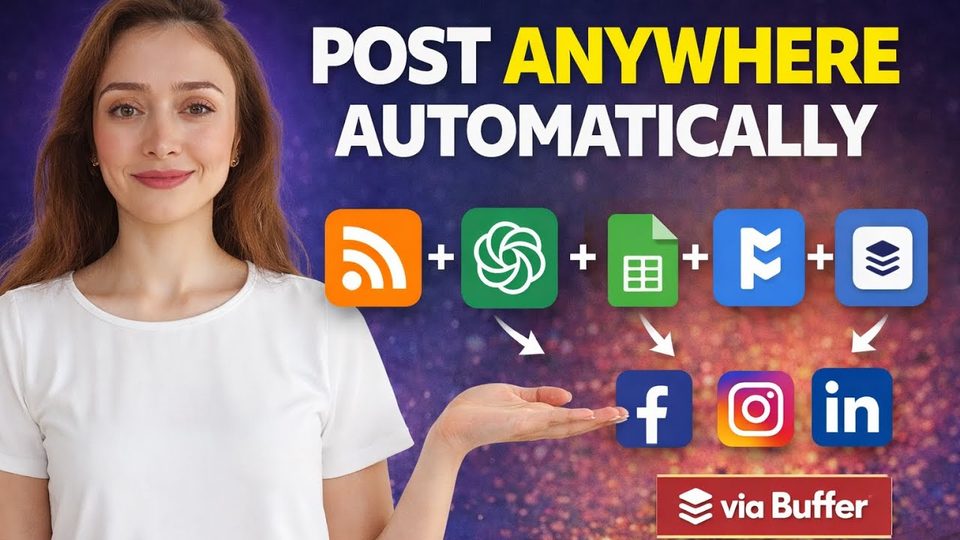
Watch the video with chapters & transcript →
AUTOMATION
How Can You Automate Social Media Posting with RSS Feeds, ChatGPT and Make.com?
In short: Two Make.com blueprint templates work in sequence: the first scrapes RSS feeds into a Google Sheet, the second summarizes the articles and publishes posts to Facebook, Instagram, LinkedIn and X.
Key takeaways
- Two Make.com blueprint templates work in sequence: the first scrapes RSS feeds into a Google Sheet, the second summarizes the articles and publishes posts to Facebook, Instagram, LinkedIn and X.
- Each platform has a hard requirement: Facebook needs a page (not just a profile), Instagram needs a business account connected to Facebook, and X can only be reached through a free Buffer account.
- Schedule the RSS template at least five minutes before the posting template so articles land in the sheet before summarization starts.
Consultant Ani Björkström walks through a full social media automation built in Make.com: RSS feed scrapers pull in fresh articles, AI-powered templates turn them into posts, and connected modules publish directly to Facebook, Instagram, LinkedIn and X. The setup uses two imported blueprints, a shared Google Sheet, and API connections to OpenAI and, optionally, Perplexity.
How do you set up the RSS feed template in Make.com?
Log in to Make.com, click "create scenario", open the three-dot menu, select "import blueprint", and choose the RSS social media feeds template. After saving, open the JSON and update the URLs under items 1, 2 and 3 with RSS feeds for your own topic. If you do not know where to find feeds, ask ChatGPT to "find 10 high-quality RSS feeds for articles in data engineering" (swapping in your own field) and verify they are active before pasting them in. Finally, create a Google Sheet, connect it to the Google Sheets action, and paste in the correct spreadsheet ID copied from the sheet.
How does the second template turn articles into posts?
The second blueprint reads the articles stored in the Google Sheet, summarizes them, and creates a post for each platform. It must use exactly the same spreadsheet ID as the first template. For the AI step you can use Perplexity, which requires at least $1 of credit on your Perplexity API key, or simply swap that module for OpenAI if you prefer not to pay for a second service. You create the OpenAI connection once with your API key, and every other OpenAI module in the scenario reuses that same connection.
What do the social platforms require before you can post?
Each destination has its own precondition, and missing one is the most common reason the setup fails. The table below summarizes what the tutorial specifies for each platform.
| Platform | Requirement in Make.com |
|---|---|
| A Facebook page connected to your account — a profile alone is not enough | |
| An Instagram business account connected to your Facebook account | |
| Log in with your LinkedIn username and password when adding the connection | |
| X | A free Buffer account with X connected, then link Buffer to Make.com |
How should you schedule the two templates?
Schedule the RSS template first and the posting template second, on the same day of the week — the tutorial uses Tuesdays. Leave at least five minutes between them so the first run collects the articles into the Google Sheet before the second run summarizes them and publishes the posts. The setup takes some time, but once completed it runs without errors.
FAQ
Do I have to pay for Perplexity to use this automation?
No. Perplexity requires at least $1 on your API key, but you can replace the Perplexity module with an OpenAI module and run the whole flow on your OpenAI connection instead.
Why does posting to X go through Buffer?
Make.com cannot be connected to X directly in this setup, so you create a free Buffer account, connect your X account to Buffer, and then connect Buffer to Make.com.
Why do the two templates run in a specific order?
The first template saves articles to a Google Sheet; the second reads that sheet to summarize and publish. If the second runs first, there is nothing to post.
Read the full video transcript, with chapters, on the video page →
Want this working inside your finance team?

Ani Björkström — founder of QvantX Sweden AB, a Stockholm consultancy building AI solutions for banks, asset managers and finance teams. Anthropic partner. Every article starts from a real client build, minus the confidential parts. LinkedIn →
Keep reading — Automation
 I Built a Full n8n Workflow in Minutes Using Claude AI (FREE TOOLS)
 Claude Code Skills Just Changed How I Make CVs
 How to build a FREE Lead Generation Machine with n8n + Google Maps + Gmail (Free Template) - 2025
 Google Gemini 3 Pro Wrote My Entire n8n Workflow - 2026
More: all 65 articles · This AI Replaces $500 UGC Ads in 5 Minutes (No Camera Needed) · Claude Skills Explained in 7 minutes! · I build a FREE AI Voice Agent - You have to see this! · Claude Code Skills Just Changed How I Make CVs · work with QvantX